
Expert Contributor:
Tomas Pukas
Estimated read time: 7 min.
Wondering how to keep your thermal device performing like new?
Regular cleaning and proper care are essential to preserve image clarity, extend battery life, and prevent costly damage. Dust, moisture, and improper storage can quickly affect thermal accuracy, but the right routine keeps your optics sharp and reliable.
In this guide, you’ll discover how to clean lenses safely, maintain optimal battery health, and store your thermal imaging device for long-term durability and flawless performance in any environment.
Quick answer
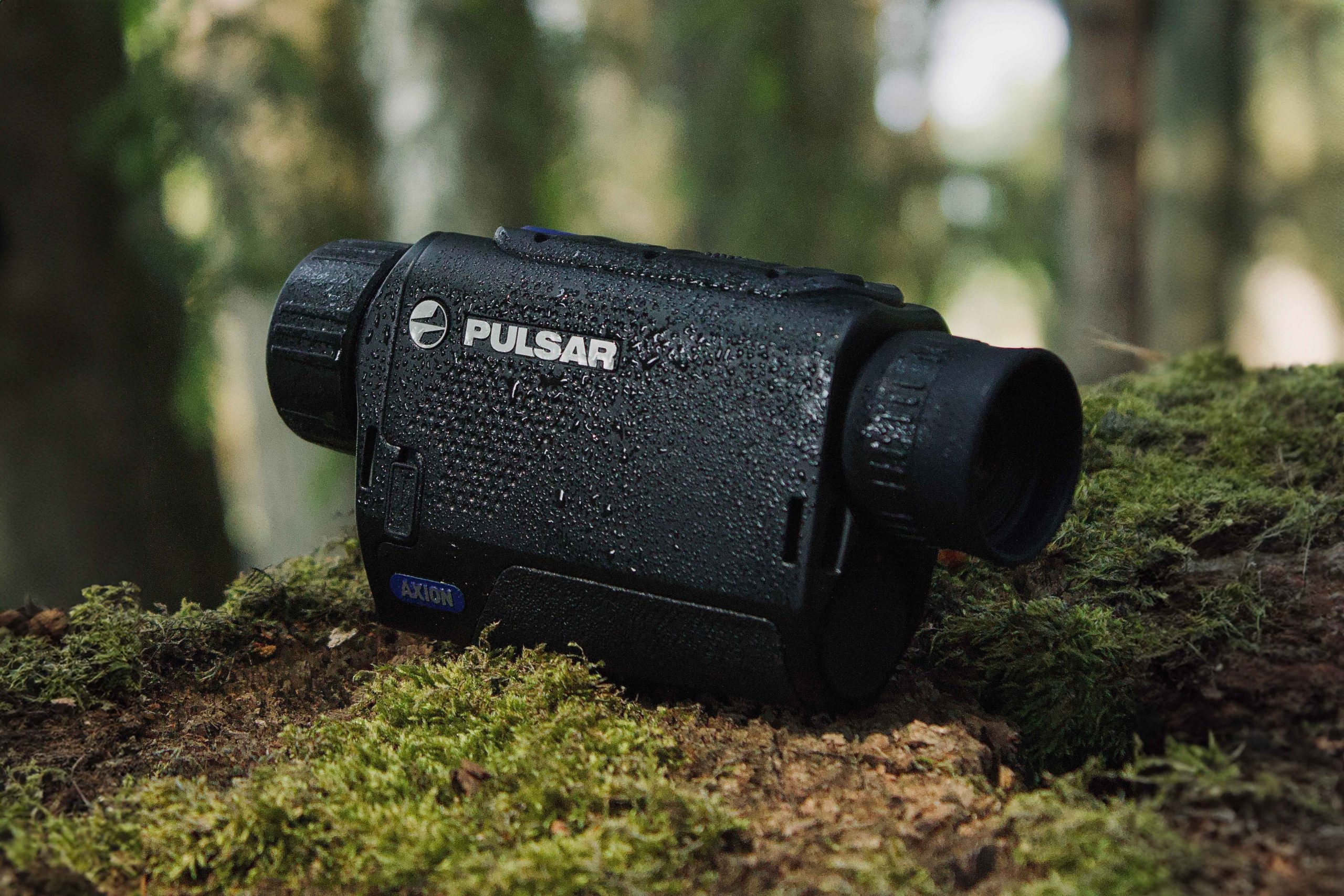
To maintain a thermal device for long-lasting performance, keep the lens clean, store it properly, and follow correct charging habits. Always remove dust with a soft air brush before wiping with an optical-grade microfiber cloth. After each use, dry the device completely, inspect seals and ports, and store it in a cool, dry environment. Keep battery charge between 50–80% and never charge in freezing conditions. Regular cleaning and smart storage ensure years of sharp, reliable performance
Key takeaways
- Optics safety: Use non-contact methods first, then wipe gently with a microfiber cloth and optical cleaner. Avoid pressure, harsh chemicals, and paper materials.
- Body & seals: Clean the housing with a soft damp cloth and inspect ports and seals to preserve water resistance.
- Battery health: Use the original charger, avoid overcharging, and keep the charge between 50–80%. Never charge below 0°C (32°F).
- Proper storage: Keep your thermal device in a cool, dry, and stable environment. Allow it to dry completely after moisture exposure and remove the battery for long-term storage.
- Pre-season check: At least one month before hunting season, test battery health, update firmware, and calibrate the sensor to avoid missing opening night.
Why regular maintenance matters for thermal devices
Every outing exposes your thermal device to dust, moisture, and temperature swings. These factors, though seemingly minor, can quickly degrade image quality, calibration, and the overall lifespan of your equipment. A dirty lens reduces contrast, a wet port can corrode contacts, and cold temperatures limit battery efficiency.
While Pulsar devices are built to handle challenging environments — from rain-soaked forests to frosty fields — they are still precision instruments.
As Tomas Pukas, Chief After-Sales Officer at Pulsar, explains:
These are electrical devices—you need to look after them. No matter how robust they are, they still require proper care and maintenance.
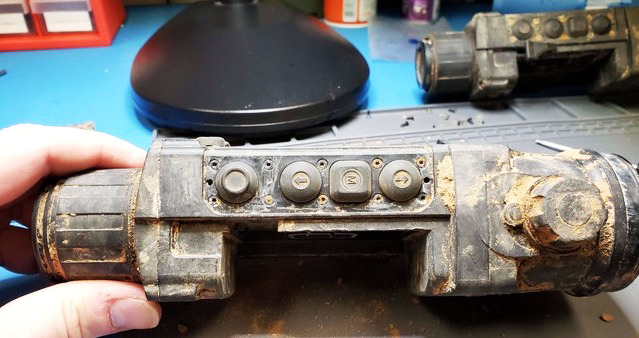
And yet, the durability of Pulsar technology continues to impress even seasoned hunters. One story from Croatia tells of a Pulsar Axion XM30F lost in a muddy cornfield and found more than a week later. Despite days of heavy rain, the device only needed drying and a quick clean before working perfectly again.
Another case involved a Pulsar Thermion Duo DXP55 that survived a fire in a hunter’s car trunk after a 6V battery discharge. Although most of the equipment was destroyed, the Thermion only required a light cleaning to return to service.
These examples show how robust Pulsar devices truly are, but they also serve as a reminder. Even the toughest gear benefits from simple, regular care. A few minutes spent cleaning and inspecting your thermal optics after every outing can make the difference between years of flawless performance and a premature trip to the service center.
Pre-season care is part of smart maintenance
A functional check about one month before hunting season is essential. Discovering a serious issue—like a sensor defect or electronic failure—early allows ample time for repair or replacement before opening night.
If you prefer, a certified Pulsar service can also prepare your device, professionally cleaning, recalibrating, and updating the firmware. Planning this in advance protects your time and your gear.
If you’re new to thermal optics, you can also read our guide on Thermal and night vision devices: Everything you need to know to better understand how your equipment works in different conditions.
How to clean thermal optics safely
Thermal lenses are coated with high-efficiency anti-reflective (AR) layers that are highly sensitive to pressure, moisture, and harsh chemicals. Cleaning them incorrectly can cause permanent damage, while proper maintenance protects the sensor and extends the lifespan of your entire optical system.
Step 1: Remove dust and debris (Non-contact first)
Never wipe a dusty lens directly. Loose particles of dust or sand can scratch the surface.
- Recommended: Always start with a gentle air duster or a soft, optical brush to remove dirt without friction.
- Avoid: Do not blow on the lens with your breath (condensation streaks) or use tissues, paper towels, or rough fabrics, as these cause micro-scratches.
Step 2: Gentle contact cleaning
- Cleaner application: Apply a few drops of optical-grade cleaning solution directly to the cloth, never to the lens itself, to prevent liquid seepage.
- Technique: Wipe the lens gently in circular motions, starting from the center and moving outward. The key is gentle motion—not pressure—to lift oils and smudges.
- Avoid mistakes: Do not use aggressive or household cleaners, especially those containing ammonia or abrasives, as these can strip the protective AR coating. For germanium or chalcogenide optics, use a small amount of isopropanol (IPA) with immediate follow-up by a dry microfiber wipe.
A note from Tomas on debris:
Dirt mixed with moisture can cause corrosion over time. If this stays on the housing or around seals during storage, it can slowly damage the device.
Step 3: Prevent fogging and smudges
- Fog prevention: Apply a thin layer of anti-fog coating or specialized lens wipes before heading outdoors.
- Post-use: Always close the lens cap immediately after use to shield against fingerprints, dust, and condensation.
- If fogging occurs: Do not wipe. Allow the lens to naturally defog in a warm, dry environment. Wiping fog can smear the surface and degrade image quality.
Once loose debris is removed, finish the cleaning using a clean, dry microfiber or cotton cloth.
Maintaining the body and controls
The device body is designed for the outdoors, but regular surface care protects the seals, buttons, and ports, preserving waterproofing and functionality.
- Cleaning the exterior: Use a soft, slightly damp cloth to wipe the body with clean water or a mild, non-abrasive cleaner. Use a soft brush or cotton swab for detailed areas (around buttons, eyecups).
- Inspect for wear: After cleaning, examine the exterior for cracks, loose screws, or worn rubber seals. Check electrical sockets and control buttons for debris.
- Avoid harsh chemicals: Never use solvents, detergents, or alcohol-based cleaners on the housing, as they can react with protective coatings or weaken seals.
A note from Tomas:
If rubber has dried out, cracked or deformed, it may no longer seal properly or could fail under recoil. Fixing these issues in advance helps avoid problems in the field.
Battery and charging care tips
Lithium-ion batteries are sensitive components. Improper charging or storage in extreme temperatures can reduce performance and lifespan.
- Use original charger: Always use the original Pulsar charger or an officially approved replacement for the correct voltage and protection.
- Avoid overcharging: Unplug the charger once the battery reaches full capacity. Continuous charging stresses the cells and shortens battery life.
- Ideal charge range: For long-term health, maintain the charge between 50% and 80% during regular use. Avoid complete discharge, which can send the battery into “sleep mode.”
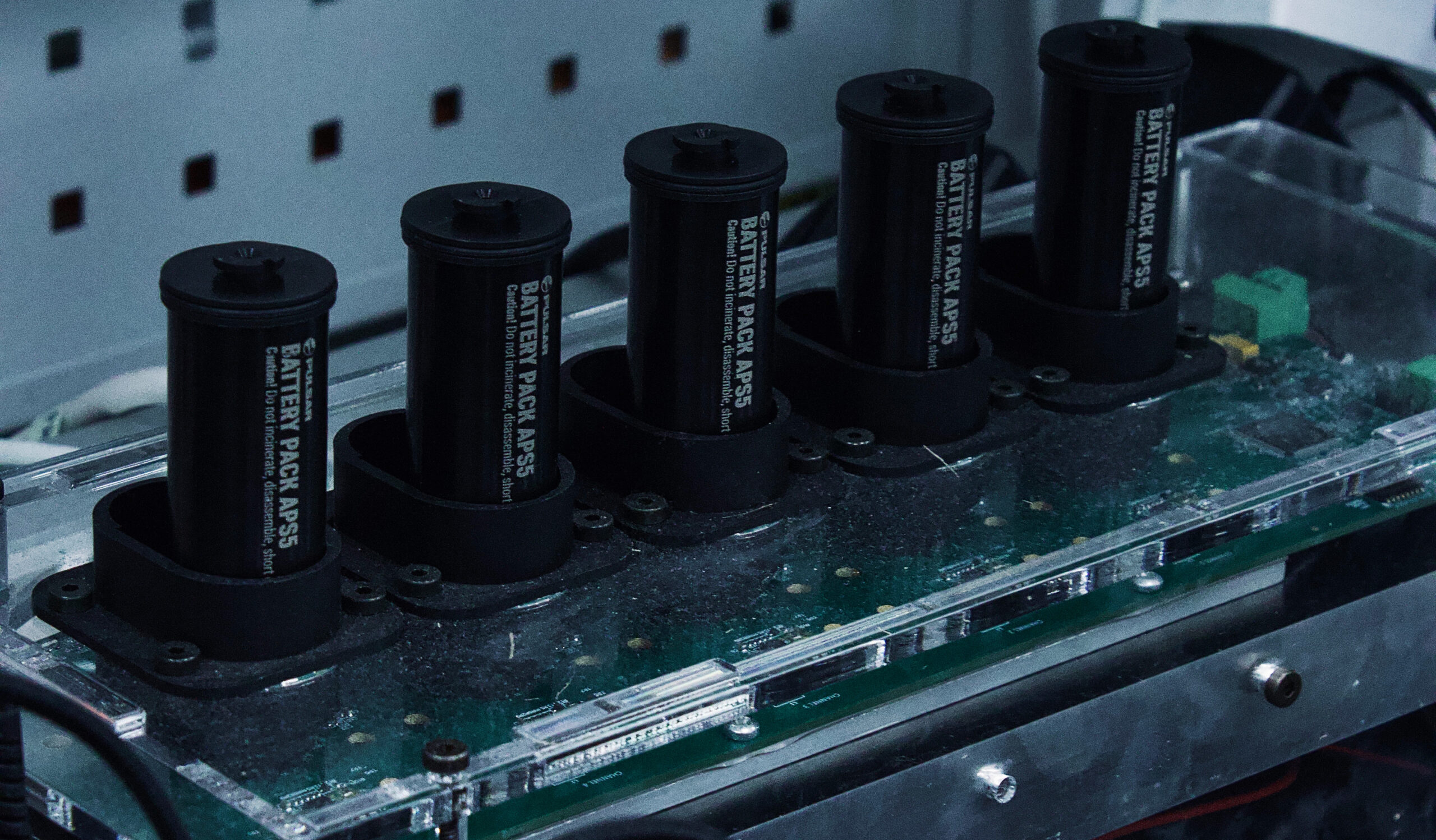
- Storage sharge: For long-term storage, partially discharge the battery to 40–60%. Tomas Pukas advises checking and topping up the charge to this range every 3–4 months.
- Cold charging: Never charge below 0°C (32°F). After freezing conditions, let the device warm up to room temperature (ideally 20°C-25°C or 68°F-77°F) before charging to prevent permanent cell damage.
How to store your thermal device properly
Proper storage is the simplest way to preserve longevity. Storing a damp or fully charged device can lead to corrosion and battery degradation.
- Environment: Store in a cool, dry place, ideally at room temperature (10°C-30°C or 50°F-86°F). Avoid high humidity, direct sunlight, and sharp temperature swings.
- Drying: After exposure to rain or snow, let the unit air-dry completely for several hours before storage. Never put a damp device straight into a closed case.
- Long-term storage: If possible, remove the battery and store it separately at 40–60% charge. Store the device in a protective case with a small silica-gel pack to absorb humidity.
Off-Season Storage Guide
When the device will be unused for several months (off-season), a specific protocol is needed:
- Clean and dry: Remove all dust and moisture from the housing and lens.
- Battery prep: Charge the battery to 40–60% and remove it if possible.
- Inspect: Check the housing, seals, and contacts for any damage.
- Environment: Store in a stable, dry room with a silica gel pack inside the case.
- Final check: Power the device on briefly to confirm image and control functionality before closing the case.
When does storage become “long-term”?
If your device will sit unused for several months or until the next season, treat this as long-term storage. As Tomas explains:
If you only pause for a couple of weeks, normal care is enough. But if it’s going into a case or safe for the whole off-season, it’s important to clean it, dry it and set up the battery correctly before you put it away.
Seasonal and common care mistakes
Adjusting your routine ensures your device delivers a reliable image year-round.
| Season | Challenge | Care adjustment |
|---|---|---|
| Winter | Cold charging | Let the device return to room temperature before charging. |
| Summer | Heat exposure | Avoid direct sunlight, hot vehicles, and high temperatures that accelerate battery and seal wear. |
| Humid | Moisture / Corrosion | Use silica gel packs in the storage case; check and replace them regularly. |
Most common user mistakes to avoid
Most service issues are caused by preventable oversights, not defects.
- Using household products or alcohol-based cleaners on the housing (lenses are generally okay for IPA, but optical cleaner is safest).
- Cleaning with rough or dirty materials, causing micro-scratches.
- Charging batteries in freezing conditions.
- Leaving the charger plugged in after a full charge (over-stressing the battery).
- Storing the device while damp or neglecting regular inspections and firmware updates.
Final thoughts & checklist
Your thermal device’s lasting reliability depends on consistent care.
As Tomas Pukas, Chief After-Sales Officer at Pulsar, perfectly sums it up:
My three-step rule for taking care of Pulsar devices is very simple: keep them clean, take good care of them, and read that manual!
A few minutes of attention after each outing can add years to your device’s lifespan and keep your vision clear in every condition.
Quick post-use Checklist
- Clean the optics and exterior after every outing.
- Check and remove the battery if storing long-term (set to 40–60% charge).
- Inspect for cracks, loose parts, or dirt.
- Store in a dry, shaded, and stable-temperature environment.
- Recharge to the optimal 50–80% level before the next trip.
Don’t have a Pulsar device yet? Find an authorized dealer near you.
FAQs
How often should I clean my thermal device?
Clean your thermal device after every outing, especially if it has been exposed to dust, moisture, or temperature changes. A quick wipe-down after use and a more thorough cleaning every few months keep it in optimal condition.
What’s the best way to clean thermal optics without scratching the lens?
Start with a non-contact method, such as a soft air brush or air duster, to remove dust. Then use a clean microfiber cloth slightly dampened with optical-grade cleaner. Always wipe gently in circular motions and never apply pressure.
Can I use alcohol or glass cleaner on my thermal scope lens?
Yes. Household cleaners and alcohol-based solutions can be used on lenses, but not on the housing. However, it’s best to use professional optical cleaning products recommended for thermal or night vision lenses.
How do I protect my thermal device from moisture and condensation?
Store the device in a dry, temperature-stable environment and use silica gel packs to absorb humidity. After exposure to rain or frost, let it air-dry completely before storage. Avoid sudden temperature changes to prevent fogging.
How should I store my thermal device when not in use?
Keep it in a cool, dry place away from direct sunlight and heat sources. Remove the battery for long-term storage and maintain its charge at 40–60%. Always inspect the device before putting it away.
How do I know if my thermal device needs professional servicing?
If you notice persistent image distortion, calibration errors, or physical damage, contact Pulsar support or your authorized dealer. Regular service inspections help ensure your device performs safely and effectively for years.
What should I check before hunting season starts?
About one month before the season, run a pre-season checklist: fully charge and test batteries, inspect the housing and rubber seals, clean and examine the lens, update firmware, check sensor calibration and dead pixels, verify mounts/accessories, and do a real-world night field test (including a zero-check for riflescopes). This ensures your device is ready before opening night.
About the Expert

Expert Contributor:
Tomas Pukas
Tomas Pukas is the Chief After-sales Officer at Yukon Group, where he oversees global service strategy, customer support standards, and long-term product performance. With deep expertise in optical and electro-optical technologies, he ensures users receive reliable guidance, maintenance solutions, and exceptional post-purchase experience.
Before purchasing any night or thermal vision device, please make sure you adhere to the local legislation and only use it when it is allowed. Our ambassadors come from various countries and travel a lot, which allows them to test different devices. We do not encourage or support the illegal use of our devices in any events. If you wish to learn more about export and sales restriction policy, please visit the following link: Export and Sales Restriction Policy.