
Key takeaways
- Use a direct USB-C connection for the most reliable thermal streaming setup.
- Update your Pulsar device firmware.
- Download your chosen USB camera app for mobile streaming.
- Choose wired streaming for lower latency and fewer signal interruptions.
- Mount tablets securely during vehicle-based observation sessions.
- Test cable stability before long hunting trips or nighttime scanning.
Quick answer
A wired streaming setup connects a Pulsar thermal device directly to a compatible USB-C smartphone, tablet, or computer using a USB-C cable. Compared to Wi-Fi streaming, a wired connection provides more stable thermal video, lower latency, and fewer interruptions during hunting, vehicle observation, and long-range nighttime scanning.
Wireless thermal streaming is convenient, but hunting environments often expose its limitations quickly. Vehicle cabins, uneven terrain, dense woodland, and continuous movement can interrupt Wi-Fi connections and create unstable video feeds during critical moments.
To overcome potential obstacles, modern Pulsar firmware now also supports wired streaming across several device lines. A direct USB-C connection improves thermal video stability, reduces delay, and creates a smoother viewing experience on smartphones and tablets.
This guide explains how to create a reliable wired streaming setup with a Pulsar thermal device. You will learn what equipment is required, how wired streaming works, how to optimize the setup for field use, and why many hunters now prefer wired workflows for long observation sessions.
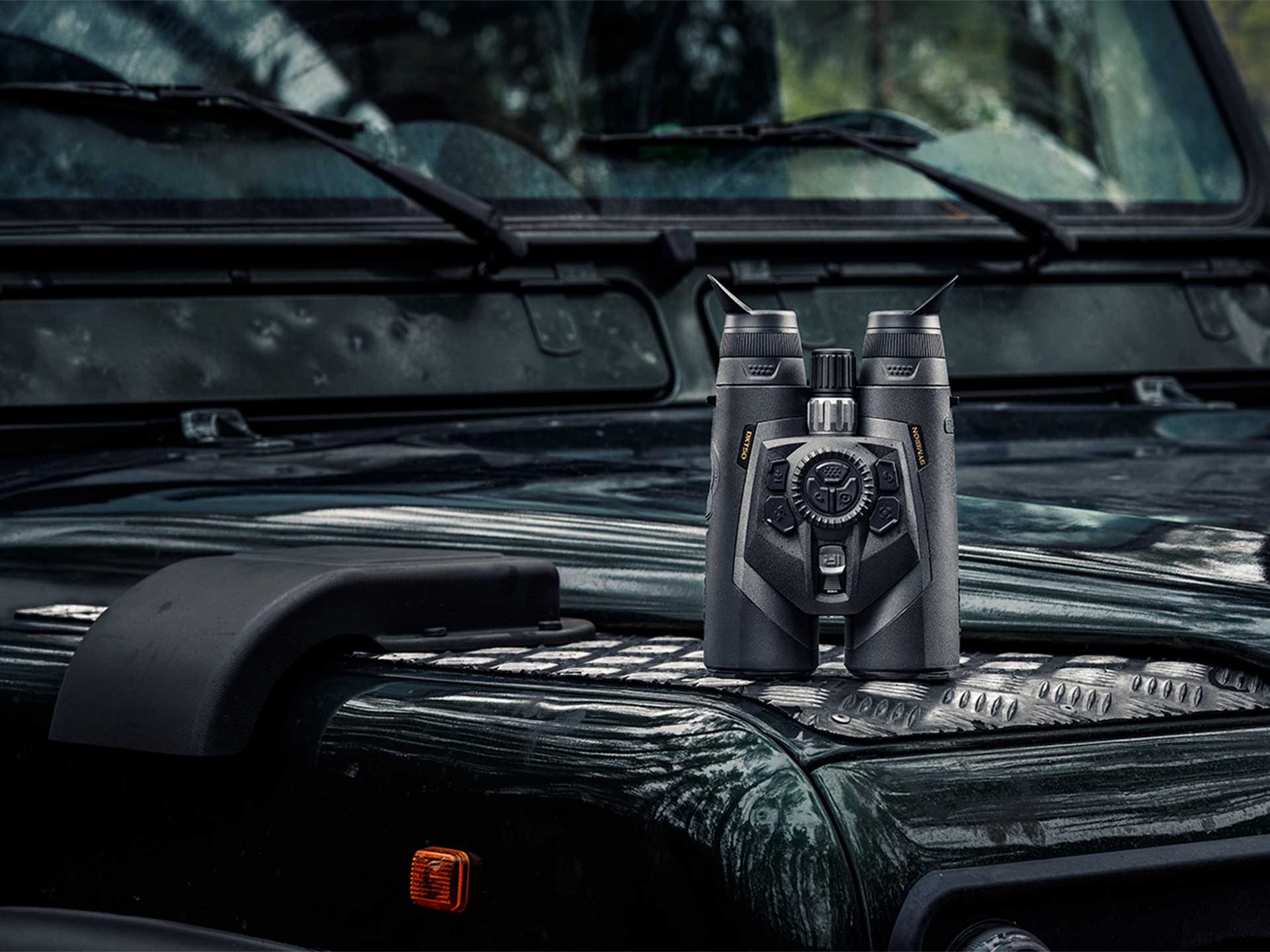
Why wired streaming is becoming essential for thermal hunting
The biggest problems with wireless thermal streaming
Wireless thermal streaming depends on stable Wi-Fi communication between the thermal device and the viewing device. In real hunting conditions, signal quality constantly changes because terrain, movement, and environmental interference affect wireless performance.
The most common problems include:
- Signal interference in forests and uneven terrain
- Video lag during movement
- Connection drops inside vehicles
- Increased battery drain from Wi-Fi broadcasting
- Delayed reconnecting after interruptions
This matters because thermal observation depends on uninterrupted awareness. Even short signal failures can disrupt scanning rhythm or target tracking during nighttime hunting.
Hunting environments in certain countries, like Australia, often make wireless instability more noticeable because vehicle scanning creates constant movement inside the cabin.
A wired setup removes most of these variables by sending the thermal feed directly through a physical connection.
Why some hunters are switching to wired streaming
Many hunters initially prefer wireless streaming because it feels simpler. Over time, however, long observation sessions can reveal the limitations of Wi-Fi-based workflows.
Wired streaming becomes especially valuable during:
- Vehicle-based predator control
- Shared viewing on larger displays
- Continuous nighttime scanning
- Recording workflows
For serious thermal users, reliability eventually becomes more important than cable-free convenience.
The main advantages of wired streaming
A wired setup provides more predictable performance because the thermal feed no longer depends on wireless signal strength.
The main advantages include:
- Lower latency during tracking
- Stable thermal video
- Better performance during movement
- Reduced wireless interference
- More consistent long-session reliability
Pulsar tip: Use short, high-quality USB-C cables whenever possible. Shorter cables reduce strain on the connection point and improve field durability.
What you need for a reliable Pulsar wired streaming setup
Compatible Pulsar thermal device lines
Several modern Pulsar device lines support wired streaming as well as Stream Vision 2 integration.
Compatible lines include:
- Telos
- Oryx
- Axion Compact
- Merger
- Trail 3
- Thermion 2
- Symbion
Each line supports slightly different workflows depending on hunting style and mounting configuration.
The Telos, Oryx, and Axion Compact lines work especially well for mobile handheld observation because compact devices simplify cable management during movement.
The Thermion 2 and Trail 3 lines fit naturally into recording-oriented and rifle-mounted workflows.

The Merger and Symbion lines support comfortable long-duration viewing because binocular-style observation reduces eye fatigue during extended scanning sessions.
Essential hardware components
In Pulsar’s case, wired streaming setups require only a few core components:
- USB-C cable
- Compatible smartphone, tablet, or computer
- External battery source for long sessions
USB-C iPhones and USB-C iPads support direct wired streaming workflows. Lightning-based Apple devices do not support direct wired Pulsar streaming, even when using adapters.
The basic signal path follows this structure:
Pulsar thermal device → USB-C cable → smartphone or tablet → your webcam app.
For most hunters, this direct workflow provides the simplest and most reliable setup.
Recommended accessories for field reliability
Field reliability depends heavily on cable quality and mounting stability.
Useful accessories include:
- Braided USB-C cables
- Right-angle USB-C connectors
- External battery banks
- Tablet mounting systems
- Cable retention clips
Cable protection matters because movement constantly stresses connection points during field use.
Why many hunters prefer tablets and iPads
Larger displays improve thermal observation because heat signatures become easier to interpret during long scanning sessions.
Tablets provide:
- Better target visibility
- Easier shared viewing
- More comfortable vehicle observation
- Reduced eye strain
Mounted tablets also create more stable viewing positions than handheld smartphones during prolonged observation.
For most users, a USB-C tablet provides the best balance between display size, simplicity, and reliability.
How wired streaming works on a Pulsar thermal device
Understanding the video signal path
A wired streaming setup transfers thermal video directly from a Pulsar device to a compatible smartphone or tablet through USB-C.
The thermal device processes the image internally and sends the live feed directly to the viewing device. Your chosen USB camera app then displays the thermal image in real time and can also manage recording functions.
You can also connect compatible Pulsar thermal devices directly to a computer for live viewing and recording. Applications such as VLC Player, AMCap, USB Camera, and CamX can recognize the incoming video feed and display the thermal image on a larger screen for observation, recording, or content creation workflows.
Because the signal no longer depends on wireless transmission, latency becomes lower and connection stability improves.

Direct smartphone streaming workflow
Direct smartphone streaming is the simplest field-ready setup. Most modern Android devices and USB-C iPhones connect directly to compatible Pulsar devices using USB-C.
The workflow allows users to:
- Monitor thermal footage in real time
- Record directly on the mobile device
- Share the display with other observers
- Reduce wireless instability
The setup process is straightforward:
- Connect the Pulsar device using USB-C.
- Select Video streaming when prompted by the device.
- Open your webcam / USB camera app.
- Verify the thermal feed appears correctly.
Field warning: Lightning-based iPhones and iPads do not support direct wired Pulsar streaming, even when using Lightning adapters.
Viewing and recording simultaneously
If you need to record and stream your video simultaneously, simply click the record button on your Pulsar device. This will not interrupt or otherwise affect streaming.
This workflow helps with:
- Reviewing target movement later
- Capturing field observations
- Producing hunting content
- Sharing footage with teams
The simplest setups usually remain the most reliable:
- One Pulsar device
- One USB-C cable
- One mounted smartphone or tablet
Reducing unnecessary accessories usually improves long-term reliability outdoors.

Step-by-step guide to building a wired streaming setup
Preparing the Pulsar device
Start by updating the Pulsar device to the latest firmware version. Firmware updates improve compatibility, stability, and performance.
Before connecting the setup:
- Update firmware
- Fully charge all devices
- Verify cable quality
- Confirm device compatibility
Outdated firmware is one of the most common causes of failed streaming connections.
Pulsar tip: Test firmware updates indoors before field deployment. Troubleshooting becomes easier with stable internet access and charging availability.
Connecting a Pulsar device to an iPad or tablet
USB-C tablets provide one of the most stable thermal viewing experiences available for field observation.
A larger display improves:
- Target interpretation
- Shared viewing
- Vehicle-based scanning
- Long-session comfort
Modern USB-C iPads support direct wired streaming. Older Lightning-based iPads do not support direct wired Pulsar streaming workflows.
For the best stability:
- Use short USB-C cables
- Mount the tablet securely
- Avoid unsupported cable strain
- Keep charging cables separated from video cables
Testing the setup before field use
Every wired streaming setup should be tested before entering the field.
Important testing areas include:
- Signal stability
- Cable security
- Battery endurance
- Device temperature
- Movement resistance
Field warning: Many connection failures occur because users test the setup while stationary but never simulate real movement conditions.
A proper test should include:
- Walking movement
- Vehicle vibration
- Extended operating time
- Cable repositioning
Optimizing the setup for long hunting sessions
Long observation sessions create additional stress on both the thermal device and the viewing hardware.
The main challenges include:
- Battery drain
- Device heating
- Cable fatigue
- Display brightness consumption
A wired streaming setup also prevents the Pulsar device from charging simultaneously because the USB-C port is occupied by the video connection. During extended observation sessions, this can reduce operating time significantly if spare power sources are not available.
For long hunts or vehicle-based predator control, carrying extra Pulsar batteries is strongly recommended. External battery banks for the smartphone or tablet are also useful during all-night scanning sessions.
The most reliable long-session setups usually share several characteristics:
- Short USB-C cables
- Stable mounts
- Spare Pulsar batteries
- External power banks for viewing devices
- Simple cable routing
In most cases, simpler setups outperform complicated configurations in real hunting environments.

Best wired streaming configurations for different hunting scenarios
Static observation setup
Static observation setups prioritize comfort and long-term viewing stability.
A common configuration includes:
- Tripod-mounted thermal device
- Mounted tablet display
- External battery bank and spare batteries
- Fixed viewing position
This workflow works especially well for:
- Long-range scanning
- Property monitoring
- Open-field predator observation
Vehicle-based thermal monitoring setup
Vehicle-based thermal monitoring benefits the most from wired streaming.
A stable setup often includes:
- Dashboard-mounted tablet
- Additional battery sources
- Secured cable routing
- Fixed viewing position
This configuration reduces reconnecting problems caused by wireless interference inside the cabin.
Recording and content creation setup
Content-focused workflows prioritize stable recording over maximum mobility.
These setups usually include:
- Mounted tablet display
- Multiple power sources
- Stable tripod or vehicle mount
- Long-duration recording workflow
The Trail 3 and Symbion lines fit naturally into recording-oriented workflows because they are commonly used during prolonged observation sessions.
Wired vs wireless streaming for thermal hunting
Latency comparison
Wired streaming consistently delivers lower latency than Wi-Fi transmission.
Lower latency improves:
- Target tracking
- Real-time scanning
- Observation smoothness
- Movement clarity
The difference becomes especially noticeable during vehicle-based scanning.
Reliability in remote terrain
Remote environments often weaken wireless performance because terrain constantly interferes with signal quality. Dense woodland, uneven ground, and vehicle cabins can all interrupt wireless streaming.
A wired connection removes most of these environmental variables.
Battery consumption differences
Wireless streaming increases battery consumption because the thermal device continuously broadcasts a Wi-Fi signal.
Wired streaming generally:
- Reduces wireless power drain
- Improves long-session efficiency
Which streaming method is better for hunting?
Wireless streaming works well for:
- Short casual observation sessions
- Lightweight mobile use
- Minimal equipment setups
Wired streaming works better for:
- Vehicle-based scanning
- Long-duration observation
- Recording workflows
- Shared viewing
For most serious thermal users, reliability eventually becomes more important than cable-free convenience.
Common wired streaming problems and how to fix them
Device not recognized by the smartphone or tablet
Recognition failures usually result from:
- Unsupported devices
- Poor-quality cables
- Firmware mismatches
- USB permission problems
If the thermal feed does not appear:
- Disconnect and reconnect the cable
- Restart your webcam app
- Verify firmware updates
- Test another USB-C cable
Video feed freezing or lagging
Video interruptions during wired streaming usually result from unstable physical connections rather than bandwidth limitations.
Common causes include:
- Loose cable positioning
- Damaged USB-C cables
- Device overheating
- Background app conflicts
Closing unnecessary applications often improves streaming consistency.
Excessive battery drain during streaming
Long thermal streaming sessions consume significant power because:
- Displays remain active continuously
- Recording increases processor load
- High brightness settings increase consumption
To improve battery endurance:
- Reduce screen brightness slightly
- Use spare batteries
- Close background applications
Signal interruptions during movement
Movement-related interruptions usually occur because cables shift under tension during observation.
The most common causes include:
- Unsupported cable strain
- Loose connections
- Poor mounting stability
Field warning: Many intermittent streaming failures are physical cable problems rather than software issues.

How to improve thermal video quality while streaming
Choosing the best thermal palette for streaming
Different thermal palettes improve visibility in different environments.
Common palette advantages include:
- White Hot for strong target separation
- Black Hot for improved terrain detail
- Red Hot for rapid heat-source identification
Palette choice affects how easily viewers interpret the thermal image during live observation and recording.
Optimizing brightness and contrast
Proper brightness and contrast adjustment improves:
- Target definition
- Viewer comfort
- Environmental detail
Recording better thermal hunting footage
High-quality thermal footage depends heavily on observation technique rather than hardware alone.
Important recording habits include:
- Slow panning movement
- Stable positioning
- Consistent tracking speed
- Environmental awareness
Pulsar tip: Smooth movement usually improves thermal footage quality more than increasing magnification.
Recommended Pulsar devices for streaming
Best Pulsar device for mobile hunters
The Telos and Axion Compact lines fit mobile hunting particularly well because compact handheld observation simplifies movement and cable routing.
Best Pulsar device for long observation sessions
The Symbion line supports extended observation especially well because binocular-style viewing reduces eye fatigue over time.
Which Pulsar device offers the most flexible streaming?
General recommendations:
- Mobile observation: Telos or Axion Compact
- Vehicle scanning: Merger
- Recording: Thermion 2 or Trail 3
- Hybrid observation setups: Symbion
Choosing the correct workflow matters more than building the most complicated setup.
Final thoughts
Wired thermal streaming provides the most reliable solution for hunters who prioritize stable video transmission, lower latency, and uninterrupted observation.
Wireless streaming remains convenient for short sessions, but wired setups perform significantly better during vehicle-based scanning, long-range observation, and extended nighttime hunting.
A reliable setup depends on more than the thermal device itself. Cable quality, mounting stability, firmware maintenance, and power management all contribute to long-term field performance.
For hunters, pest controllers, and thermal content creators, a stable wired workflow creates a more predictable and professional observation experience over time.
FAQ
Can you stream video from a Pulsar thermal device?
Yes. Modern Pulsar devices support thermal wireless video streaming through Stream Vision 2. Alternatively, you can use a wired workflows with a chosen webcam app.
Is wired streaming better than wireless for thermal optics?
Wired streaming usually provides lower latency and more stable video transmission than Wi-Fi streaming, especially during vehicle-based observation and long scanning sessions.
How do you connect a Pulsar thermal device to a tablet?
Most modern USB-C tablets connect directly using a USB-C cable. Open a webcam app after connecting and verify the live thermal feed appears correctly.
Do Lightning iPhones or iPads support wired Pulsar streaming?
No. Lightning-based Apple devices do not support direct wired Pulsar streaming, even when using adapters. A USB-C iPhone or USB-C iPad is required.
What cables are needed for Pulsar wired streaming?
Most setups only require a high-quality USB-C cable and a compatible USB-C smartphone or tablet.
Does Stream Vision 2 support wired streaming?
No. Stream Vision 2 only supports wireless streaming. For wired streaming, you need to download a third-party webcam app.
Which Pulsar devices work best for wired streaming?
The Telos, Oryx, Axion Compact, Merger, Trail 3, Thermion 2, and Symbion lines all support modern thermal streaming workflows depending on the intended hunting application.
Before purchasing any night or thermal vision device, please make sure you adhere to the local legislation and only use it when it is allowed. Our ambassadors come from various countries and travel a lot, which allows them to test different devices. We do not encourage or support the illegal use of our devices in any events. If you wish to learn more about export and sales restriction policy, please visit the following link: Export and Sales Restriction Policy.